
コンテンツへスキップ
Iamprovider
日本語
EnglishРусскийTurkishPortuguês (Brasil)한국어العربيةEspañolไทยTiếng ViệtFrançais中文DeutschBahasa IndonesiaItaliano日本語PolskiУкраїнськаفارسی
戻る

注意事項とガイド

How to use social media AI tools to supercharge your content

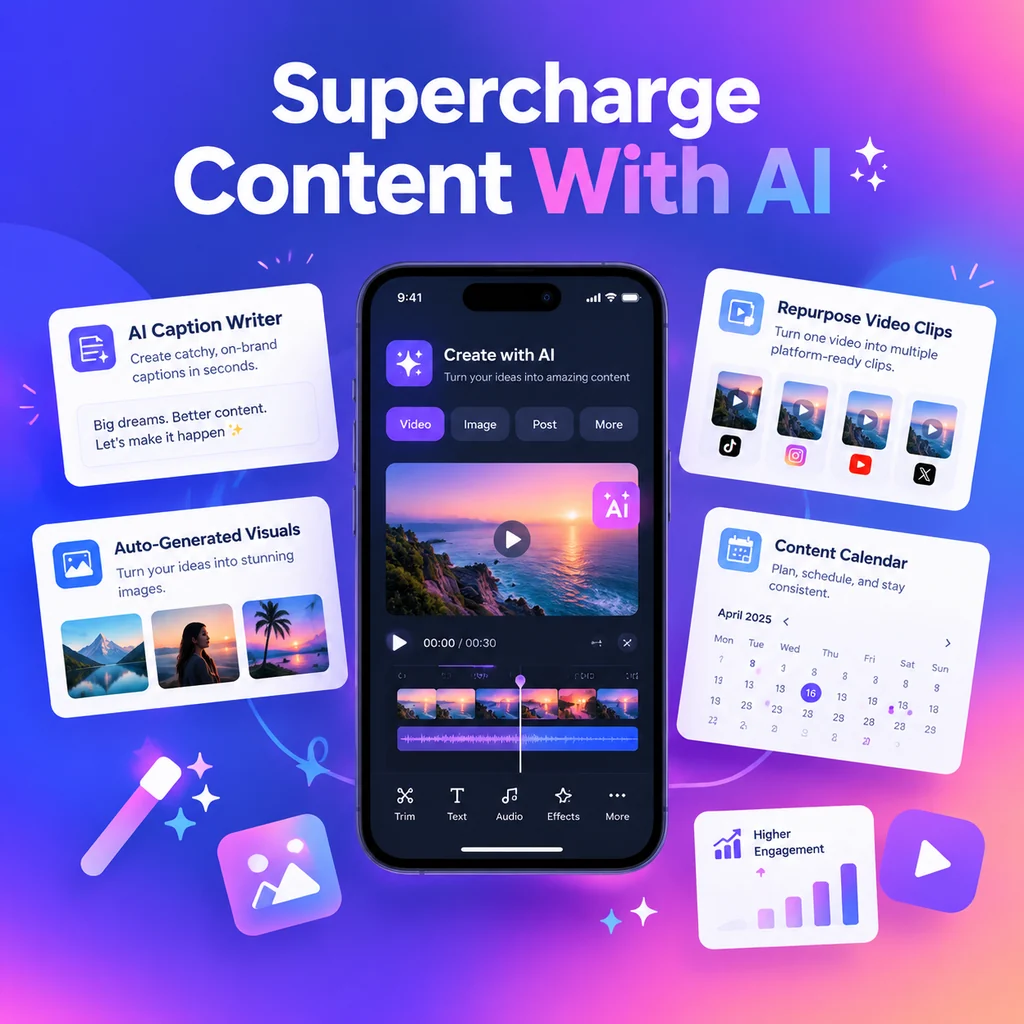
How to use social media AI tools to supercharge your content

Start with the bottleneck, not the tool

Every creator hits a wall somewhere in their workflow. For some, it's staring at a blank caption box at 11 p.m. For others, it's editing a 40-minute podcast into six Reels before lunch. The temptation is to sign up for every shiny AI platform that promises to "revolutionize" your content. But the smarter move is to diagnose your actual bottleneck first. Are you slow at writing hooks? Do your visuals look inconsistent? Does scheduling eat two hours every Monday? Once you name the pain point, picking the right tool becomes obvious. This article walks you through using AI across writing, visuals, video, and scheduling — so you can move faster without sacrificing the human touch that makes your brand worth following.

Writing captions and hooks with AI

Captions and hooks are where most creators lose momentum. AI writing assistants like Jasper, Anyword, and Claude can pull you out of the blank-page spiral fast. The key is feeding them context: your brand voice, past top-performing posts, and the specific platform you're writing for. Jasper, for example, lets you train a brand voice by uploading your existing content, so its output sounds like you — not like a generic marketing bot. Anyword goes a step further by scoring copy variations based on predicted engagement, which is useful when you're testing hooks. Claude, meanwhile, shines as a flexible assistant that can hold your brand guidelines in a project workspace and churn out on-brand captions across formats.

Prompting for platform-native copy

Don't ask AI for "a caption." Ask for a LinkedIn post that opens with a contrarian take, or a TikTok hook under 12 words, or a carousel caption with a question at the end. Platform-native prompts produce platform-native results.

Designing scroll-stopping visuals without a designer

Visual consistency separates professional accounts from amateur ones, but hiring a designer isn't realistic for most creators. Canva's Magic Studio handles the heavy lifting with Magic Layers, which turns AI-generated images into editable components — so you can move elements, fix text, and resize for different formats without starting over. Adobe Express with Firefly is the go-to if commercial safety matters; its text-to-image generation is trained on licensed content, which reduces copyright risk for brand work. And Ideogram is quietly brilliant for text-heavy graphics, because it renders readable text directly inside images — something most AI generators still fumble. Together, these tools cover carousels, story graphics, thumbnails, and quote posts at speed.

Turning long-form video into short-form gold

Video repurposing is where AI saves the most time. OpusClip's ClipAnything feature scans long videos and cuts the moments most likely to perform, using speech patterns and retention cues to rank clips. Riverside's Co-Creator takes a different angle: record a podcast or interview inside the platform, and the AI editing agent produces clips, thumbnails, and promotional assets from the same session. The result is a month of short-form content from a single recording day. Just budget time for human trimming — AI clip selection is good, not perfect, and a 10-second manual edit often doubles a clip's impact.

Match the clip to the platform

Vertical, captioned, and punchy for TikTok and Reels; slightly longer and more narrative for LinkedIn. AI tools auto-reframe for aspect ratios, but you still control the story arc.

Scheduling and publishing on autopilot

Creating content is half the battle; getting it out consistently is the other half. Tools like Buffer adapt copy for each channel automatically — its AI Assistant detects whether you're posting to LinkedIn or X and adjusts tone and length accordingly. Perch by Hootsuite combines AI creation with scheduling and publishing, plus a "Wisdom" agent that surfaces industry trends and drops drafts straight into your content calendar. SocialBee's Copilot builds a full strategy with content pillars and a posting plan, which is ideal if you're recycling evergreen content. The goal is a workflow where your calendar fills itself while you focus on the creative decisions only you can make.

Avoiding the AI content trap

AI can make you faster, but it can also make you sound like everyone else. The creators who win with these tools treat them as first-draft machines, not final-draft authors. Always inject personal anecdotes, opinions, and specifics that AI can't fabricate. Watch for accuracy issues in generated copy — a confident-sounding caption with a wrong stat is worse than no caption at all. And rotate your tools if output starts feeling formulaic; even the best AI models drift toward predictable phrasing when used too heavily. The sweet spot is AI for structure, speed, and variation, and your voice for the parts that build trust with your audience.

Building your AI-powered content stack

You don't need ten subscriptions. Pick one tool per job: a writing assistant, a visual platform, a video repurposer, and a scheduler. Test each for two weeks against a real content goal — more posts shipped, higher engagement, less time spent — and keep only what moves the needle. As AI features evolve through 2026, the creators who thrive won't be the ones with the most tools, but the ones with the tightest workflow. Start with your biggest bottleneck, add one AI layer, and measure the difference. That's how you supercharge your content without losing yourself in the process.

I AM PROVIDERをチェックする

次のサービスはここから始まります。

プラットフォームごとに、すべてのサービス一覧をご覧ください。

Instagram20
購入 Instagramフォロワー購入 Instagram自動いいね購入 Instagram自動ビュー購入 Instagramのコメント購入 Instagramエンゲージメント購入 インスタグラムインプレッション購入 インスタグラムのいいね購入 Instagramライブ配信の視聴数購入 Instagramメンバー購入 Instagramメンション購入 Instagramの過去の投稿のいいね購入 Instagramの過去の投稿ビュー購入 Instagramプロフィール訪問購入 Instagramリーチ購入 Instagramセーブ購入 Instagramシェア購入 Instagramストーリーのいいね購入 Instagramストーリーシェア購入 Instagramストーリーの視聴回数購入 Instagramビデオの視聴回数
TikTok15
購入 TikTokのコメント購入 TikTokダウンロード購入 TikTokフォロワー購入 TikTokのいいね購入 TikTokライブ配信コメント購入 TikTokライブ配信のいいね購入 TikTokライブ配信シェア購入 TikTokライブ配信の視聴数購入 TikTok PKバトルポイント購入 TikTokセーブ購入 TikTokシェア購入 TikTokストーリーのいいね購入 TikTokストーリーシェア購入 TikTokストーリー再生回数購入 TikTok動画の視聴回数
YouTube9
購入 YouTube自動コメント購入 YouTube自動高評価購入 YouTube自動ビュー増加購入 YouTubeコメントのいいね購入 YouTubeのコメント購入 YouTubeの「いいね!」購入 YouTubeシェア購入 YouTube登録者購入 YouTube動画の視聴回数
X (Twitter)14
購入 X (Twitter)ブックマーク購入 X (Twitter)のコメント購入 X (Twitter) 詳細クリック購入 X (Twitter)のフォロワー購入 X (Twitter)インプレッション購入 X (Twitter)の「いいね」購入 X (Twitter)リンククリック数購入 X (Twitter)の言及購入 X (Twitter)アンケート投票購入 X (Twitter)の投稿閲覧数購入 X (Twitter)プロフィールクリック数購入 X (Twitter)のリポスト購入 X (Twitter)スペースリスナー購入 X (Twitter)ビデオ再生回数
Facebook12
購入 Facebookコメント購入 Facebookフォロワー購入 Facebookの友達リクエスト購入 Facebookの「いいね!」購入 Facebookライブ配信の視聴数購入 Facebookページのフォロー購入 Facebookページのいいね購入 Facebook投稿の「いいね!」購入 Facebook投稿のリアクション購入 Facebookプロフィールのフォロー購入 Facebookストーリーの閲覧数購入 Facebook動画視聴回数
Telegram3
購入 Telegramメンバー購入 テレグラム投稿ビュー購入 テレグラムリアクション
Twitch6
購入 Twitchチャンネルの視聴数購入 Twitchクリップの視聴回数購入 Twitchフォロワー購入 Twitchライブストリーム視聴者数購入 Twitchプライムサブスクライバー購入 Twitch動画再生数
Spotify4
購入 スポティファイのフォロワー購入 Spotifyのリスナー購入 Spotifyプレイ購入 Spotify 保存
SoundCloud5
購入 サウンドクラウドのコメント購入 サウンドクラウドのフォロワー購入 SoundCloud いいね購入 サウンドクラウドの再生回数購入 SoundCloudのリポスト
Threads5
購入 スレッドのコメント購入 Threadsフォロワー購入 スレッドのいいね購入 スレッドのリポスト購入 スレッド共有
Likee4
購入 Likeeのコメント購入 Likeeのフォロワー購入 Likeeのいいね購入 Likeeシェア
Discord1
購入 Discordメンバー
Reddit6
購入 Redditのコメント購入 Redditフォロワー購入 Reddit投稿の閲覧数購入 Redditシェア購入 Redditの購読購入 RedditのUpvote(高評価)
Kick2
購入 Kickフォロワー購入 キックライブストリーム視聴者数
LinkedIn3
購入 LinkedInフォロワー購入 LinkedIn いいね購入 LinkedIn動画視聴回数
Pinterest5
購入 Pinterestのフォロワー購入 ピンタレスト いいね購入 Pinterestのピン(リピン)購入 ピンタレスト保存購入 Pinterestシェア
OnlyFans3
購入 OnlyFansのコメント購入 OnlyFansのフォロワー購入 OnlyFansのいいね
Snapchat4
購入 スナップチャットのエンゲージメント購入 スナップチャットのフォロワー購入 Snapchat Spotlightの再生数購入 スナップチャットのストーリー閲覧数
Kwai5
購入 Kwaiコメント購入 Kwaiフォロワー購入 Kwai いいね購入 快手シェア購入 Kwai動画ダウンロード
Tumblr3
購入 Tumblrのフォロワー購入 Tumblrの「いいね」数購入 Tumblrリブログ
Shopee1
購入 Shopeeライブストリーミング視聴者数
Trustpilot1
購入 Trustpilotレビュー
Quora5
購入 Quoraの回答の閲覧数購入 Quoraのフォロワー購入 Quoraでのシェア購入 Quoraの高評価購入 Quoraの閲覧数
Yandex Zen5
購入 Yandex Zenのコメント購入 Yandex Zenのいいね購入 Yandex Zenの閲覧数購入 Yandex Zenの購読購入 Yandex Zen ビデオ視聴回数
WhatsApp2
購入 WhatsAppチャンネルメンバー購入 WhatsAppチャンネル投稿のリアクション
Vimeo2
購入 Vimeoフォロワー購入 Vimeoの「いいね!」
その他のサービス1
購入 Yandex Musicの再生回数

次の投稿用のツール

テキストを準備し、コンテンツを計画し、次のキャンペーンを検討します。

無料ツールを探索する

無料サービスの申請

キャンペーン開始時に手動レビューを最大 100 ユニットまでリクエストできます。承認と配信は保証されません。

すべての無料サービス リクエストを参照する

Instagram

TikTok

Facebook

YouTube

X (Twitter)

Spotify

Telegram

Twitch

Brawl Stars

PUBG Mobile

サポートいたします

お問い合わせ

チームへの連絡方法を選択。

次のページを探す

Tabキーで選択 · Enterキーで開く · Escキーで閉じる



