

 Русский
 Turkish
 Português (Brasil)
 한국어
한국어 العربية
 Español
 ไทย
ไทย Tiếng Việt
 Français
 中文
中文 Deutsch
 Bahasa Indonesia
 Italiano
 日本語
日本語 Polski
 Українська
 فارسی
فارسی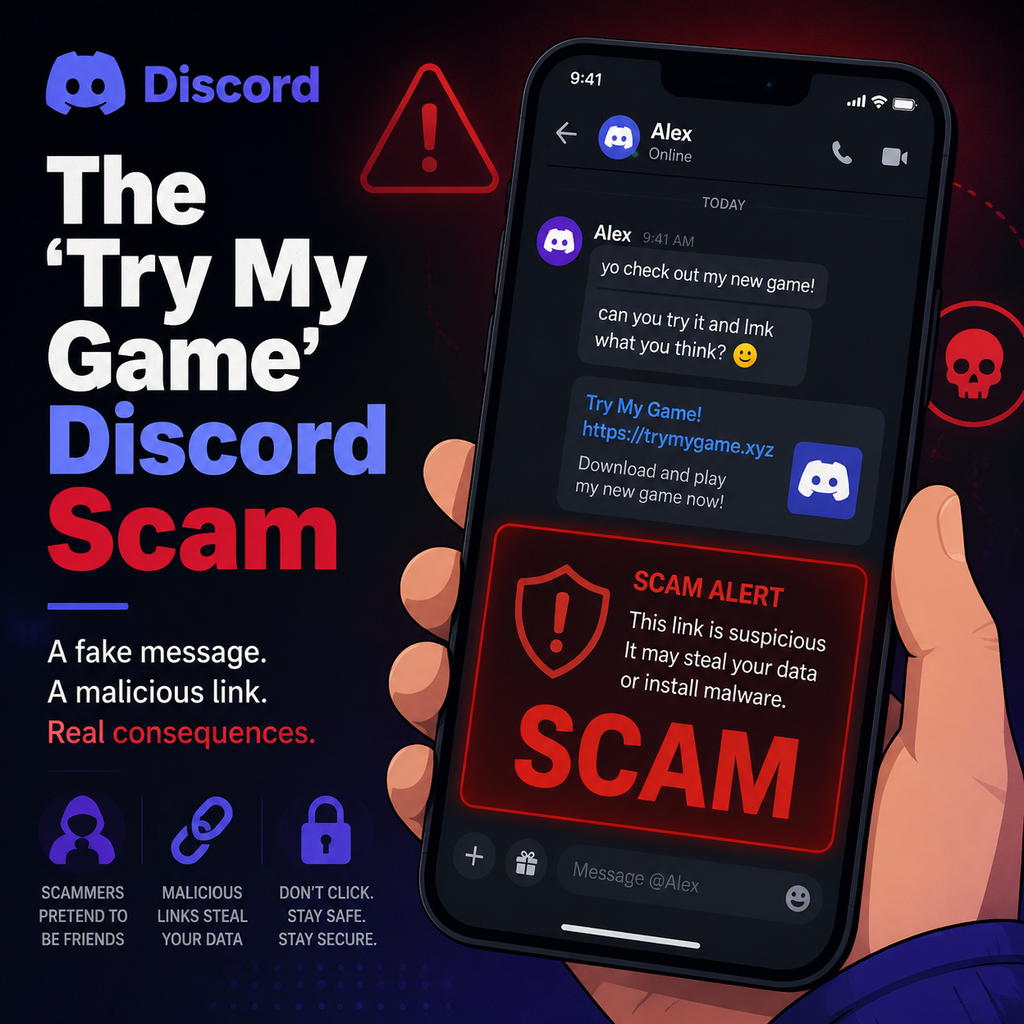
How the Scam Operates
The "Try My Game" scam begins with a direct message from what appears to be a friend or a fellow community member. The message is simple and disarming: "Hey, can you test a game I made?" or "I just finished a beta build—mind trying it out?" The request feels natural, especially within gaming communities where feedback is common. The link provided leads to a download hosted on platforms like Dropbox, Google Drive, or even Discord's own CDN, making it look legitimate.
Once the file is downloaded and executed, the malware—often a stealer or remote access Trojan (RAT)—activates silently. It doesn't display obvious signs of infection. Instead, it begins harvesting sensitive data: browser cookies, saved passwords, Discord authentication tokens, cryptocurrency wallet information, and even payment details. The attacker then uses this data to hijack the victim's Discord account, enabling two-factor authentication (2FA) to lock the original owner out.
Malware Families Behind the Scam
Research has linked the "Try My Game" scam to several malware families. Among the most common are Electron-based stealers like Nova, Ageo, and Hexon, as well as RAT variants such as Bby Stealer and Redline Stealer. These tools are designed with specific capabilities:
- Extract saved credentials and cookies from browsers
- Capture Discord tokens to hijack accounts without needing passwords
- Access locally stored crypto wallets and browser extensions
- Collect payment information and personal details
These malware families are often sold on underground forums. For example, Bby Stealer was marketed for $35 with a limited free trial. The malware is typically distributed via a builder that generates an executable file linked to a Discord webhook, sending stolen data directly to the attacker.
Why the Scam Is So Effective
The scam's success lies in its exploitation of trust. Victims are more likely to click a link when it appears to come from a friend or a known community member. Once an account is hijacked, the attacker immediately targets the victim's friends list, sending the same "Try my game" message to all contacts. This creates a chain reaction—one compromised account can lead to dozens more. Additionally, the malware often persists by hiding in startup folders or using scheduled tasks, making it difficult to remove without a full system wipe.
The Role of Social Engineering
Scammers invest time in building rapport. They may join a server, engage in conversations, and even share legitimate content before striking. This patience makes the request seem genuine. The psychological pressure to help a friend or support a developer further lowers the victim's guard.
Immediate Steps if You've Been Affected
If you or someone you know has fallen for this scam, quick action is critical. Follow this safety checklist:
- Disconnect the infected device from the internet immediately
- Shut down the computer to prevent further data exfiltration
- Change passwords from a clean device (phone or separate computer) for all online accounts, especially Discord, email, and financial platforms
- Enable 2FA on all accounts, preferably with a hardware security key or authenticator app
- Remove unfamiliar devices linked to your accounts in security settings
If the malware has been executed, a full system format and reinstall of the operating system is often the only way to ensure complete removal. Simply deleting the file or running antivirus may not catch all persistence mechanisms.
How to Protect Yourself Going Forward
Prevention is the best defense against the "Try My Game" scam. Adopt these habits to stay safe:
- Never download EXE, SCR, or MSI files from unsolicited DMs, even if the message appears to come from a trusted friend
- Verify any download request through a separate communication channel—call or text the person to confirm
- Use unique, strong passwords combined with a password manager
- Enable multi-factor authentication on Discord and other platforms
- Keep antivirus software active and regularly scan downloads
Consider using a separate device or a virtual machine for testing unknown software. This isolates potential malware from your main system and sensitive data.
The "Try My Game" scam reminds us that trust can be a vulnerability. By staying vigilant and verifying before clicking, we can break the chain of infection and protect both our accounts and our communities.