


01
Audience & quantity
Match the service to your goal.Check the platform, audience description, minimum and maximum quantity. Similar service names can have different requirements.
Compare servicesALL YOUR CHANNELS. ONE PANEL.
Compare Instagram, TikTok, YouTube and more in one SMM panel. Check prices and service terms, estimate your order and manage your customers’ orders from one account.
Sample activity
Across your channels
Browse service categories across the channels you use.
 English
 Русский
 Turkish
 Português (Brasil)
 한국어
한국어 العربية
 Español
 ไทย
ไทย Tiếng Việt
 Français
 中文
中文 Deutsch
 Bahasa Indonesia
 Italiano
 日本語
日本語 Polski
 Українська
 فارسی
فارسی
A lower rate is only one part of the decision. Here is what to check.
Check the platform, audience description, minimum and maximum quantity. Similar service names can have different requirements.
Compare servicesRead the listed delivery information, refill period and cancellation rules. Availability and conditions vary by service.
Read the order guideRates are shown per 1,000. Use the quantity estimator, then confirm the current service details in your account.
Estimate an orderPick your channel. Find your service. Make your next move.
Service details
Service details
Service details
Video stories and selected public customer reviews.
“I tested this panel with a couple of small orders before using it regularly. … The interface is clean and works without problems on mobile.”
Review summaryThe reviewer describes acceptable delivery speed and a refill that worked for their orders. They found prices average compared with other panels and reported no serious issues at the time of writing.
“I have a good experience with it , services are very cheap and fast & reliable.”
Review summaryThe reviewer uses IamProvider for their own social media platforms and for customer work, and describes a positive experience with the cost, speed and reliability of the services.
“Best social media services provider, best customer support .”
Review summaryRiya recommends the social media services and customer support in this short public review.
“Best smm panel for instagram , facebook , youtube. recommended services and best customer support”
Review summarySimbha mentions Instagram, Facebook and YouTube, and recommends both the services and customer support.
“are trustworthy, I like them ...”
Review summaryFélix06 gives a brief positive assessment of the panel, focusing on trust and their overall impression.
“Good panel , good costumer service”
Review summaryThis short review mentions both the panel itself and the customer service experience.
“The service was perfect !”
Review summaryNohlan shares a brief positive service experience. The original review does not include additional detail.
“One of the best panel in the world cheaper and reliable”
Review summarySubash highlights affordability and reliability in a short overall recommendation of the panel.
“Great service, great provider. I've been with them for a while and they rock!”
Review summaryDavid describes an ongoing experience with IamProvider and gives a positive assessment of the service.
“I have tried many different sites but especially for telegram services this is the go to site ❤️”
Review summaryAfter trying several sites, the reviewer singles out Telegram services as the reason for their recommendation.
“i use this panel that support was good, some time some service slow but then create ticket they solve that,”
Review summaryThe reviewer notes that some services were slow, and says that opening a support ticket helped resolve the issue.
Selected review excerpts with summaries. Read the original reviews on Trustpilot. Videos preview silently. Select a story to watch with sound.
Find answers about services, payments and your orders.
Still need help? Talk to our team
Ideas and practical guides for the platforms you use.
A practical introduction to TikTok Coins and the recharge process.
Get to know Discord and how creators use it to build communities.
Explore creative control over your Instagram profile and posts.
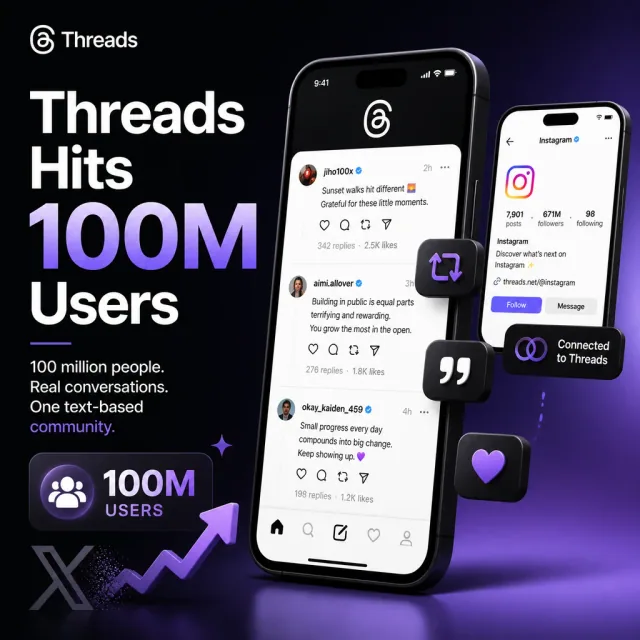
A look at the early growth of Threads and its place in social media.
4 articles
A practical content map for services, pricing, order management and free tools.
SMM stands for social media marketing. An SMM panel brings service selection, account balance and order tracking together across social media platforms. Use the same account to organize services for your own profiles or separate client campaigns. Compare social media marketing services by a specific metric—such as Instagram followers, likes or views—before choosing a target and quantity. Agencies and resellers can compare services across Instagram, TikTok, YouTube and the other supported platforms without treating every order as the same product.
Start with the service catalog. For the full account-to-order process, follow the panel guide.
A cheap SMM panel rate is useful only when the service fits the job. Compare the target type, quantity range, audience coverage and refill terms before comparing prices. A rate per 1,000 is not the charge for every order.
For example, a hypothetical $2 rate and 250 units produce a $0.50 estimate. Review the current charge in your account; the pricing guide explains packages and repeat orders.
Create an account, choose an available funding method and wait for the balance to be credited. Then select a service, enter its required target and review the quantity and final charge. Keep the order ID for tracking and support.
New to the workflow? Read the first-order checklist before confirming. A public estimate helps you compare options; the purchase is made inside your account.
Followers concern a profile; post likes concern individual content. Reels, Stories and automatic services have their own scope. Choose the content type before comparing a rate.
The Instagram service guide explains link formats, delivery and refill. For a platform overview with related options, open the Instagram SMM panel guide.
Choose a TikTok profile for followers and a specific upload for video views or likes. A live-session service concerns a different target and timing.
Decide which metric you need before choosing a quantity. A views order does not reserve a place on the For You feed or include interactions that are not listed.
Subscribers belong to a channel; views and likes relate to a video. Check whether the service accepts your long-form video, Short or other listed format.
Order quantity, watch time and monetisation eligibility are different measurements. Review the service specification and your own channel analytics separately.
Facebook pages, profiles and posts have different service categories. On X, profile followers, post views, replies and reposts are separate metrics. Open the supplied link and confirm its owner before ordering.
Explore Facebook reactions or X post views for content-specific options. A page or profile link is not a substitute for a post address.
Telegram membership and post views need different targets. Discord services can require a usable invite; WhatsApp channel services require the supported channel address.
Check access restrictions and link expiry before ordering. A member count does not include active discussion, replies or moderation unless those are explicitly part of the service.
Track plays, unique listeners, artist followers and saves are different audio metrics. Compare Spotify plays with the other music services by their defined target and measurement.
For live-stream services, review start and duration conditions. An order is not a promise of royalties, creator payouts or eligibility for a platform programme.
The best SMM panel choice depends on the service details you can actually verify. Compare the exact service ID, target, minimum and maximum quantity, audience coverage, delivery notes and support conditions. Labels such as real, premium or non-drop are not a complete specification.
Use the catalog to compare equivalent options. A country guide describes a buyer's context. Geo-targeted engagement is a separate service characteristic: the selected listing must explicitly state the audience coverage.
Open the exact profile, post, channel or invite requested by the service. Check the owner, content and visibility. Keep the target stable during delivery; changing a username or deleting a post can make an order impossible to complete.
Never enter social media passwords, login codes or API keys into a target field. Use the link checklist when collecting addresses from clients.
An order ID means there is a record to follow. Pending, in progress, partial and completed describe different stages. Completion does not mean the resulting count can never change.
If progress seems wrong, check the target, elapsed time and service estimate before contacting support. The status guide explains the next step for each state and how to avoid duplicate orders.
A refill concerns an eligible drop after delivery. A partial order concerns an amount that was not fully delivered. Cancellation requests and refunds have their own conditions; requesting an action does not confirm its outcome.
Read the selected refill window and the refund terms. The after-order guide explains the records needed for a review.
The SMM panel API lets an application read services, create supported orders and check their status. Store the returned order ID and map your own products to the correct provider service IDs.
Keep the key on your server. If a submission times out, reconcile it before retrying: a missing response does not prove that no order was created.
Drip-feed splits a supported order into runs. A subscription or automatic service can monitor supported uploads and create related orders. These are different ways to schedule work, with different quantity and balance implications.
Before enabling either, read the actual fields in the account form. The repeat-order guide explains runs, intervals, future posts and existing posts.
For agency or reseller orders, keep a record of the client, target, service ID, quantity, charge and resulting order ID. Explain the purchased metric separately from broader campaign goals.
Use the API for a workflow that needs integration, or manage orders in your account. Recheck the service specification when a client changes the target, platform or timing.
Free tools help with tasks such as preparing text, formatting content or looking up supported public information. Their results and inputs depend on the tool.
A browser-generated draft is different from a live profile lookup. Read the method and limitations on the chosen page; a tool result does not place a paid order or confirm a free-service request.
Free services use a request process with campaign availability, quantity limits and review conditions. Completing the steps does not guarantee approval or delivery.
Provide the target requested by that page, complete only tasks you actually performed and follow its request status. The free workflow is separate from funding and submitting a paid panel order.