

 Русский
 Turkish
 Português (Brasil)
 한국어
한국어 العربية
 Español
 ไทย
ไทย Tiếng Việt
 Français
 中文
中文 Deutsch
 Bahasa Indonesia
 Italiano
 日本語
日本語 Polski
 Українська
 فارسی
فارسی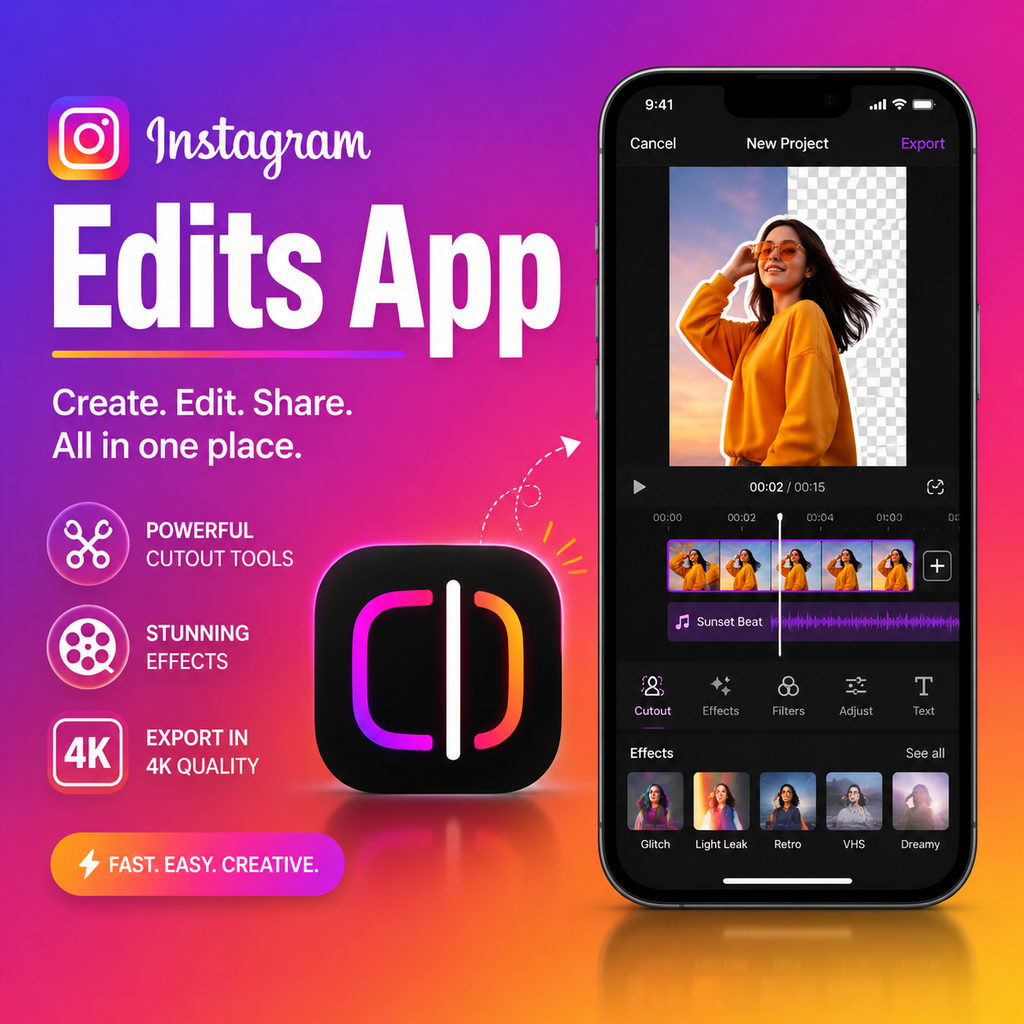
What is Instagram Edits?
Instagram has launched its own dedicated video editing app called Edits—a powerful, free tool designed to help creators turn ideas into polished videos directly from their phone. Available on both iOS and Android, Edits offers a complete suite of editing features without watermarks, supporting 4K exports up to 10 minutes long. Think of it as a one-stop shop for capturing, editing, and sharing content, with seamless integration into Instagram for high-quality playback.
Edits isn't just another editor; it's a creative hub that includes idea organization tools like "stickies" for notes and scripts, making it easy to plan and execute videos in one place. Whether you're a seasoned creator or just starting out, Edits promises to streamline your workflow.
Key features of Edits
No watermark, 4K exports
One of the biggest draws is the ability to export videos in crisp 4K resolution with absolutely no watermark. This is a game-changer for creators who want to repurpose content across platforms without branding clutter. You can share directly to Instagram or any other social media channel.
Capture and edit in one app
Edits lets you record high-quality clips right inside the app—up to 10 minutes each—and then jump straight into editing. No need to juggle multiple apps. You can trim, splice, and rearrange clips with intuitive timeline controls.
Creative tools: cutout, restyle, and effects
The app includes advanced features like the cutout tool, which lets you isolate a subject from a photo or video and place it anywhere in your project. The restyle feature applies AI-powered artistic transformations, and you'll find a library of Instagram filters, color adjustments (brightness, contrast, exposure), and dynamic effects like zooms, blurs, and camera shakes.
How to use Edits: a step-by-step walkthrough
Getting started is simple. Download Edits from the App Store or Google Play, then open the app to begin a new project. Import clips from your gallery or shoot fresh footage. Add your clips to the timeline, then use the bottom toolbar to access voiceover recording, auto-generated captions (via the CC button), overlays, and more. The cutout and restyle tools are just a tap away. Once you're happy, export in 4K without watermark and share directly to Instagram or save to your device.
Why Instagram Edits matters for creators
With the uncertain future of competing apps like CapCut, Instagram's Edits offers a reliable, Meta-backed alternative that integrates tightly with the platform's ecosystem. It's free, packed with modern editing features, and designed to reduce friction in content creation. For creators who live on Instagram, having a native editing app means less time switching between tools and more time focusing on storytelling. The built-in idea organization—like adding notes and scripts—also helps streamline the creative process from concept to final cut.